Saturday, June 30, 2012

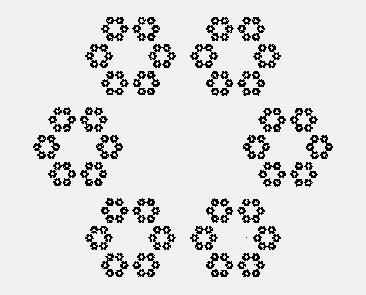
10 000 primes


clg
graphsize 500,500
color yellow
rect 0,0,500,500
color black
f=0

for h = 3 to 10000
if f=0 then
Prime = h-1
y = int(Prime/100)
x = Prime - y*100 -1
Rect 5*x,5*y,5,5
print Prime
end if


f=0
for i = 2 to int(h/2)+1 step 1
if int(h/i)=h/i then f=1
if int(h/i)=h/i then i=h/2
next i

next h

Friday, June 29, 2012

Collatz conjecture


Rem  http://en.wikipedia.org/wiki/Collatz_conjecture#Methods_of_proof
graphsize 1000,400
for x = 1 to 1000
a=x
n=0
do
b=a
if a/2 = int(a/2) then
a = a/2
else
a=a*3+1
end if
n=n+8
line n-8,400-b/30,n,400-a/30
until a = 1
print "Initial number "+x+ " Iterations "+n/8
next x

Thursday, June 21, 2012

Image effects


# Image effects by aplying formula to RGB
# You need to have  an image file 300 by 300 pixels
fastgraphics
clg
refresh
Graphsize 600,600
imgload 150,150,"Kennedy.png"
For x = 1 to 300
For y = 1 to 300
z = Pixel (x,y)
r = int(z/65536)
g = int ((z - r*65536)/256)
b = z - r*65536 - g*256 +1
gosub colors
gosub invert
gosub bw
next y
refresh
next x

colors:
r1=int(r/129)*255
g1=int(g/129)*255
b1=int(b/129)*255
color (r1,g1,b1)
plot x+300,y
return
invert:
r2=abs(255-r)
g2=abs(255-g)
b2=abs(255-b)
color (r2,g2,b2)
plot x,y+300
return
bw:
r3=(r+g+b)/3
g3=(r+g+b)/3
b3=(r+g+b)/3
color (r3,g3,b3)
plot x+300,y+300
return

Sunday, June 10, 2012

Tessellations


rem Tessellations program
graphsize 600,600
fastgraphics
l=180 : u=1: gosub tessellation
l=120 : u=1 :gosub tessellation
l=90 : u=2 :gosub tessellation
l=60 : u=2: gosub tessellation
l=60 : u=3: gosub tessellation
l=45 : u=4 : gosub tessellation
l=40 : u=3: gosub tessellation
l=36 : u=5: gosub tessellation
l=30 : u=4 :gosub tessellation
l=30 : u=6 :gosub tessellation
tessellation:
for i = 1 to 50
x1=300: y1=300: angle = 270
for b = 1 to 20
a = l*int(rand*2)-l/2
for k= 1 to u
angle = angle + a: gosub lines
next k
next b
refresh
next i
clg : pause 1: refresh
return
lines:
r = (angle/180)*pi
y2=y1 + (sin (r))*20: x2=x1 - (cos (r))*20
for n = 1 to 30
circle x1,y1,2: line x1,y1,x2,y2
next n
x1=x2: y1=y2
return

Wednesday, June 6, 2012

Cellular Automation


# This program was malfunctioning for a long time because I did not update the code to the New Basic 256 . It is very interesting to see how 2 very simple rules generate two very different patterns . One is a fractal and the other is chaotic
# You can change the rule by activating or deactivating the plotting instruction . See also http://mathworld.wolfram.com/ElementaryCellularAutomaton.html


fastgraphics
graphsize 800,400
For n = 1 to 2
plot (400,1)
For y = 1 to 400
For x = 1 to 800
a=0
if pixel(x-1,y)=black then a=a+1
if pixel(x,y)=black then a=a+10
if pixel(x+1,y)=black then a=a+100
if n=1 then gosub chaotic
if n=2 then gosub fractal
next x
refresh
next y
pause 1
clg
refresh
next n
chaotic:
if a=001 or a=110 or a =010 or a=100 then plot (x,y+1)
return
fractal:
if a=001 or a=010 or a=100 then plot (x,y+1)
return

Tuesday, September 27, 2011

Static Wave


Rem the purple wave is made out of two simple sinusoidal waves. Change the frequencies and amplitudes and see what happens .
fastgraphics
Amplitude1=30
Frequency1=2
Amplitude2=30
Frequency2=8
for t = 1 to 1000 step .1
clg
for n = 1 to 31.4 step 0.1
r=Amplitude1*sin(t )*Sin(n/(10/Frequency1))
b=Amplitude2*sin(t )*Sin(n/(10/Frequency2))
p= r+b
color red
circle 10*n,r+250,3
color blue
circle 10*n,b+200,3
color purple
circle 10*n,p+100,3
next n
refresh
next t

Tuesday, July 12, 2011

Complex wave


Rem the purple wave is made out of two simple sinosoidal waves
fastgraphics
for t = 1 to 1000 step 0.1
clg
for n = 1 to 30  step 0.1
r=30*sin(t+n*0.2)
b=10*sin(t+n*0.8)
p= r+b
color red
circle 10*n,r+250,3
color blue
circle 10*n,b+200,3
color purple
circle 10*n,p+100,3
next n
refresh
next t

Sunday, June 19, 2011

Worksheet generator 1

Rem Algebra worksheet generator Linear equations
n=10
dim x(n)
dim a(n)
dim b(n)
dim c(n)
dim d(n)
for q = 0 to n-1
x[q]= int (rand*10+2)
a[q]= int (rand*10+5)
b[q]= int (rand*10+5)
c[q]= int (rand*5+2)
d[q]=a[q]*x[q]+b[q]-c[q]*x[q]
print (q+1)+") "+a[q]+"x+"+b[q]+" = "+c[q]+"x+"+d[q]
next q
input "press for solutions",a
for q = 0 to n-1
print (q+1)+") x="+x[q]
next q

Thursday, February 3, 2011

Enlargement

# Linear Transformation using a matrix T (enlargement by a scale factor of -1 )
n=20
fastgraphics
Dim v (2,n)
Dim f (2,n)
Dim t (2,2)
# Initial vectors V
for i = 1 to n-1
v[0,i]=rand*150:v[1,i]=rand*150
next i
# Changing a
for a = 1 to -1 step -.001
gosub rot
gosub mult
gosub plotting
next a
# Transformation Matrix
rot:
t[0,0]=a:t[0,1]=0
t[1,0]=0:t[1,1]=a
return
# F=V*T
mult:
for i = 1 to n-1
f[0,i]= v[0,i]*t[0,0]+v[1,i]*t[1,0]
f[1,i]= v[0,i]*t[0,1]+v[1,i]*t[1,1]
next i
return
# Ploting F
plotting:
clg
line 0,150,300,150
line 150,0,150,300
for i = 1 to n-1
circle f[0,i]+150,150-f[1,i],4
next i
refresh
return

Wednesday, February 2, 2011

Rotation

# Linear Tranformation (rotation)

n=20
fastgraphics
Dim v (2,n)
Dim f (2,n)
Dim t (2,2)
# Initial vectors V
for i = 1 to n-1
v[0,i]=rand*100:v[1,i]=rand*100
next i
# Changing a
for a = 1 to 2*pi step .001
gosub rot
gosub mult
gosub plotting
next a
# Transformation Matrix
rot:
t[0,0]=cos(a):t[0,1]=-sin(a)
t[1,0]=sin(a):t[1,1]=Cos(a)
return
# F=V*T
mult:
for i = 1 to n-1
f[0,i]= v[0,i]*t[0,0]+v[1,i]*t[1,0]
f[1,i]= v[0,i]*t[0,1]+v[1,i]*t[1,1]
next i
return
# Ploting F
plotting:
clg
line 0,150,300,150
line 150,0,150,300
for i = 1 to n-1
circle f[0,i]+150,150-f[1,i],4
next i
refresh
return

Sunday, January 30, 2011

Correlation analysis

# correlation analysis tool
n=7
decimal(3)
font "arial",10,100
graphsize 500,500
dim x(n) : dim y(n)
tx=0 : ty=0
x = {2,3,3,4,4,6,5}
y = {1,2,4,5,4,8,7}
for m = 0 to n-1
tx=tx+x[m] : ty=ty+y[m]
next m
meanx=tx/n : meany=ty/n
sdx=0 : sdy=0: sdxy=0
for m = 0 to n-1
sdx=sdx +(x[m]-meanx)^2
sdy=sdy +(y[m]-meany)^2
sdxy=sdxy +(x[m]-meanx)*(y[m]-meany)
next m
sx=(sdx/n)^.5
sy=(sdy/n)^.5
covxy=sdxy/n
r= covxy/(sx*sy)
m= covxy/sx^2
c= meany-m*meanx
# Standard deviation covariance correlation coefficient and line of best fit
Print "Sx="+sx
Print "Sy="+sy
Print "Sxy="+covxy
print "r="+r
print "y="+m+"x+"+c
# graph parameters
minx=-10 : maxx=10 : miny=-10 : maxy=40
rangex=(maxx-minx)
rangey=(maxy-miny)
for i= 0 to 10
line 0,i*50,500,i*50
line i*50,0,i*50,500
text i*50,480,minx+rangex*i/10
text 0,500-i*50,miny+rangey*i/10
next i
color red
for i= 0 to n-1
circle (x[i]-minx)*(500/rangex),500-(y[i]-miny)*(500/rangey),5
next i
color blue
for i= 0 to 500
circle i,500*(1+(-c+miny)/rangey)-m*(rangex/rangey)*(i+500*minx/rangex) ,2
next i

Tuesday, January 25, 2011

Character frequency

dim a(123)
for n = 97 to 122
a[n]= count("The frequency of letters in text has often been studied for use in cryptography, and frequency analysis in particular. No exact letter frequency distribution underlies a given language, since all writers write slightly differently. Linotype machines sorted the letters' frequencies as etaoin shrdlu cmfwyp vbgkqj xz based on the experience and custom of manual compositors. Likewise, Modern International Morse code encodes the most frequent letters with the shortest symbols; arranging the Morse alphabet into groups of letters that require equal amounts of time to transmit, and then sorting these groups in increasing order, yields e it san hurdm wgvlfbk opjxcz yq. Similar ideas are used in modern data-compression techniques such as Huffman coding.", chr(n),true)
next n
for n = 97 to 122
print chr(n)+" "+a[n]
next n

Pie chart

rem favourite pet pie chart
font "arial",20,100
graphsize 600,300
n=4
total=0
dim freq(n)
dim cumfreq(n+1)
dim category$(n)
freq = {23,13,62,45}
category$ = {"Dog","Fish","Cat","Rabbit"}
dim arm(6)
arm = {0,0,1,150,-1,150}
for p = 0 to n-1
total = total + freq[p]
cumfreq[p+1]=total
next p
for i = 0 to 2*pi step .01
for p = 0 to n-1
if cumfreq[p]/total < i/(2*pi) then
color cumfreq[p]*500000
rect 400,p*30+20,20,20
text 440,p*30+15,category$[p]
end if
next p
stamp 150,150,1,i,arm
next i

Thursday, January 13, 2011

Times table tutor

graphsize 600,600
fastgraphics
font "arial",20,100
For question = 1 to 10
for x = 1 to 10
for y = 0 to 9
color blue
rect x*45,y*45,40,40
color white
text x*45,y*45,x+y*10
next y
next x
a=int (rand*10+1)
b=int (rand*10+1)
print a+"x"+b
refresh
say "Question"+question
say a+" ,times, "+b+","
while clickb = 0
pause .01
endwhile
answer = int(clickx/45) +10*int(clicky/45)
clickclear
if answer =a*b then
say "Yes, well done"
else
say "No, it is"+a*b
end if
next question

Monday, January 10, 2011

Line pattern

Graphsize 600,600
fastgraphics
clg
for pic = 1 to 30
a=122 : b=rand^2 : c=rand^2: d=rand^2
for x= 1 to 600
for y= 1 to 600
color a+a*sin(b*x),a+a*sin(c*x),a+a*sin(d*x)
plot x,y
next y
refresh
next x
next pic

Saturday, January 1, 2011

Color plots

Graphsize 600,600
fastgraphics
clg
for pic = 1 to 2
for x= 1 to 600
for y= 1 to 600
# try different formulae for color using coordenates x and y
if pic = 1 then color ((x-300)^2+(y-300)^2)*3
if pic = 2 then color 300*abs((x-300)/(y-300))
plot x,y
next y
refresh
next x
next pic

Friday, December 31, 2010

Caesar's cipher decryption

ciphr$="ňŭğŢűŸůųŮŦűŠůŧŸīğŠğłŠŤŲŠűğŢŨůŧŤűīğŠūŲŮğŪŭŮŶŭğŠŲğŠğłŠŤŲŠűĦŲğŢŨůŧŤűīğųŧŤğŲŧŨťųğŢŨůŧŤűīğłŠŤŲŠűĦŲğŢŮţŤğŮűğłŠŤŲŠűğŲŧŨťųīğŨŲğŮŭŤğŮťğųŧŤğŲŨŬůūŤŲųğŠŭţğŬŮŲųğŶŨţŤūŸğŪŭŮŶŭğŤŭŢűŸůųŨŮŭğųŤŢŧŭŨŰŴŤŲħŖŨŪŨůŤţŨŠĨ"

text$=""
shift=255
for n = 1 to length(ciphr$)
letter$= mid(ciphr$, n, 1)
m = asc(letter$)
text$=text$+chr(m-shift)
next n
print text$

Thursday, December 30, 2010

Caesar's cipher encryption

text$="In cryptography, a Caesar cipher, also known as a Caesar's cipher, the shift cipher, Caesar's code or Caesar shift, is one of the simplest and most widely known encryption techniques(Wikipedia)"
shift=255
ciphr$=""
for n = 1 to length(text$)
letter$= mid(text$, n, 1)
m = asc(letter$)
ciphr$=ciphr$+chr(m+shift)
next n
print ciphr$

Sphere

clg
For n = 1 to 150
color rgb(50+n,50+n,50+n)
circle rgb(150,150,150-n)
next n

Smarties

clg
ns=int(rand*500)
For n = 1 to ns
color int(rand*2)*255,int(rand*2)*255,int(rand*2)*255
circle rand*290+5,rand*290+5,5
next n
input "How many smarties?",wait
print ns

Wednesday, December 29, 2010

Loan payment plan

# For home buyers
# Loan payment plan ( fixed monthly)
# r ( anual interest rate 3.4% )
# l amount borrowed
# n duration in moths
r=0.034
l=180000
n=360
c=r/12
p=l*(c*(1+c)^n)/((1+c)^n-1)
amort = 0
tota=0
toti=0
for m = 1 to n
l=l-amort
inter = l*c
amort=p-inter
tota=tota+amort
toti=toti+inter
prest=inter+amort
print "Month ="+m+" Amort.="+int(amort*100)/100+" Intrest="+int(inter*100)/100+" Total="+int(prest*100)/100
next m
print
print "Monthly payment = "+p
Print "Total amortization = "+tota

Print "Total interest = "+toti

Dodge Ball

# Use "a" and "d" to turn
# Avoid crashing the arrow
font "arial",20,100
fastgraphics
graphsize 600,600
dim a(6)
a = {3,0,5,10,0,10}
rad = -.6
px=50
py=550
x=550
y=50
turn =0
xspeed1=0
yspeed1=0
r=5

for t = 1 to 100000
dist=((x-px)^2 + (y-py)^2)^(1/2)
xspeed1=xspeed1-(x-px)*.01/abs(x-px)
yspeed1=yspeed1-(y-py)*.01/abs(y-py)
x=x+xspeed1 : y=y+yspeed1
z = key
a$="G"
if z = 65 then a$="L"
if z = 68 then a$="R"
if a$="L" and turn>-.2 then
turn =turn-.05
else
turn=turn*.95
end if
if a$="R" and turn<.2  then turn =turn+.05
rad = rad+turn
yspeed = sin (rad)*4
xspeed = cos (rad)*4
py = py + yspeed
px = px + xspeed
pause .01
clg
color yellow
rect 0,0,600,600
color black
text 100,10,"Points= "+t
stamp px, py, 2,rad+1.57, a
circle x,y,r
refresh
if px<0 or px > 600 or py < 0 or py > 600 or dist < r then
text 10,10,"Lost"
refresh
end
end if
if x<0 or x>600  then
xspeed1=-xspeed1
r=r+5
end if
if y < 0 or y > 600 then
yspeed1=-yspeed1
r=r+5
end if
next t

Saturday, December 25, 2010

Mandelbrot


rem Zoomable Mandelbrot based in Joel Kahn's example
sz=600
font "arial",10,100
graphsize sz,sz
fastgraphics
kt=50:m=4.0
xmin=-2.1:xmax=.6:ymin=-1.5:ymax=1.5
gosub draw
input "press enter to zoom in",a$
xmin=-0.5:xmax=0:ymin=0.5:ymax=1
gosub draw
input "press enter to zoom in",a$
xmin=-0.15:xmax=-.05:ymin=0.9:ymax=1
gosub draw
input "press enter to zoom in ",a$
xmin=-0.14:xmax=-.13:ymin=0.98:ymax=.99
gosub draw
end
 
draw:
clg
refresh
dx=(xmax-xmin)/sz:dy=(ymax-ymin)/sz
for x=xmin to xmax step dx
for y=ymin to ymax step dy
k=0:a=0:b=0
do
# In the iteration z=z^2+c
#z=ai + b
#c=yi + x
tx=a^2-b^2+x
b=2*b*a+y
a=tx
d=a^2+b^2
k=k+1
until not (d <= m and k < kt)
color k*50000000
plot (x-xmin)/dx,(ymax-y)/dy
next y
refresh
next x
# grid
color black
for n= 0 to 9
line n*sz/10,sz,n*sz/10,0
text n*sz/10,5,xmin+(xmax-xmin)*n/10
text 5,n*sz/10,ymax-(ymax-ymin)*n/10
line sz,n*sz/10,0,n*sz/10
next n
refresh
return

Wednesday, December 22, 2010

Bifurcation Diagram

# http://en.wikipedia.org/wiki/Bifurcation_diagram

Graphsize 600,600
clg
fastgraphics
for c = 0 to 2 step 0.01
refresh
y=0
# Main sequence
for i=1 to 20
print "c="+c+" i="+i+" y="+y
y = y^2-c
circle 200*c,100*y+300,1
next i
next c
# graph c is the horizontal axis
for c = 0 to 600 step 40
for y = -300 to 300 step 50
text c,7,c/200
text 0,300-y,y/100
line c,0,c,600
line 0,y+300,600,y+300
next y
next c
refresh
end

Tuesday, December 21, 2010

Ramdom Walk

Rem http://en.wikipedia.org/wiki/Random_walk

clg
font "arial",20,100
graphsize 600,450
fastgraphics
stepsize=10
steps=0
For radius = 20 to 200 step 10
average=steps/10
rect 100+ radius*2,450-average,2,average
print "Radius="+radius;
print " Average number of steps="+average
steps=0
for trial = 1 to 10
x=0
y=0
color grey
rect 0,0,600,40
color yellow
circle 200,200,radius
color black
text 10,10,"Trial"+trial
while x^2+y^2 < radius^2
steps = steps+1
a=rand*2*pi
dx=cos(a)*stepsize
dy=sin(a)*stepsize
line 200+x,200+y,200+x+dx,200+y+dy
circle x+200,y+200,1
refresh
x=x+dx
y=y+dy
end while
next trial
next radius

Sunday, December 19, 2010

3D plotter


fastgraphics
clg : font "arial",15,100
graphsize 600,600
zoom=5 : max=5 : point=0
for z = -max to max step .1
for y = -max to max step .1
for x = -max to max step .1
Rem change this bit
if (x^2+y^2<1+z^2)then

if abs(x)>(max-.1) or abs(y)>(max-.1) or abs(z)>(max-.1) then rc=0
color rgb( 100+x*(100/max)+rand*rc,100+y*(100/max)+rand*rc,100+z*(100/max)+rand*rc)
point=point+1
gosub graph
else
if (abs(z)<0.01 and abs(y)<0.01) or (abs(x)<0.01 and abs(y)<0.01) or (abs(x)<0.01 and abs(z)<0.01) then
color black
if z>max-.1 then text sx+5,sy-10,"z="+max
if x>max-.1 then text sx+5,sy-10,"x="+max
if y>max-.1 then text sx+5,sy-10,"y="+max
refresh
gosub graph
end if
end if
next x
next y
refresh
next z
print "Aproximate volume ="+point/1000
graph:
prespective=1+(-3*max+x+y+z)/50
sx = 300+ (x*7-y*7)*zoom*prespective
sy = 300+ (-z*7+y*3+x*3)*zoom*prespective
circle sx,sy,2
rc=50
return

Saturday, December 18, 2010

Lorenz attractor


rem http://en.wikipedia.org/wiki/Lorenz_attractor
clg
fastgraphics
graphsize 900,300
s=10
p=28
b=8/3
x=10
y=0
z=10
zoom=6
dt=0.002
for n = 1 to 100000
dx=s*(y-x)
dy=x*(p-z)-y
dz=x*y-b*z
x=x+dx*dt
y=y+dy*dt
z=z+dz*dt
plot 150+zoom*y,300-zoom*z
plot 400+zoom*x,300-zoom*z
plot 650+zoom*x,150-zoom*y
refresh
next n

Wednesday, December 15, 2010

Rule 30

Rem http://en.wikipedia.org/wiki/Rule_30
clg
fastgraphics
graphsize 900,450
plot (450,1)
print pixel (10,10)
For y = 1 to 450
For x = 1 to 900
if pixel (x-1,y-1)=0 and pixel (x,y-1)<>0 and pixel (x+1,y-1)<>0 then plot(x,y)
if pixel (x-1,y-1)<>0 and pixel (x,y-1)=0 and pixel (x+1,y-1)=0 then plot(x,y)
if pixel (x-1,y-1)<>0 and pixel (x,y-1)=0 and pixel (x+1,y-1)<>0 then plot(x,y)
if pixel (x-1,y-1)<>0 and pixel (x,y-1)<>0 and pixel (x+1,y-1)=0 then plot(x,y)
next x
refresh
next y

100!

Rem Find the sum of the digits in the number 100! (Project Euler 20)
p=160
graphsize 1200,5
Dim Prod(p+1)
Prod[0]=1
for b = 1 to 100
for t = 0 to p-1
Prod[t]=Prod[t]*b
next t
Rem Carying
for x = 0 to p-2
While Prod[x]>9
Prod[x]=Prod[x]-10
Prod[x+1]=Prod[x+1]+1
end While
next x
Rem Printing
Print b+"! = ";
for x = 0 to p
Print Prod[p-x];
next x
print
next b
sum=0
for x = 0 to p-1
sum = sum + Prod[x]
next x
print sum

Tuesday, December 14, 2010

2^301

Rem 2^301 calculation

p=100
graphsize 1000,5
Dim Prod(p+1)
Prod[0]=1

for b = 0 to 300
for t = 0 to p-1
Prod[t]=Prod[t]*2
next t

Rem Carying
for x = 0 to p-2
While Prod[x]>9
Prod[x]=Prod[x]-10
Prod[x+1]=Prod[x+1]+1
end While
next x

Rem Printing
Print "2^"+(b+1)+" = ";
for x = 0 to p
Print Prod[p-x];
next x
print
next b

Monday, December 13, 2010

"Infinite" precision

Rem Infite multiplication precision algorithm http://en.wikipedia.org/wiki/Infinite_precision_arithmetic
max=10
p=2*max+2
graphsize 600,600
font "arial", 8,100
Dim n1(max+1)
Dim n2(max+1)
Dim Prod(p)
Rem {units ,tens ,hundreds ,etc }
n1={2,9,7,5,6,4,3,4,3,4}
n2={9,9,3,4,5,2,4,3,4,3}

Rem Multiplication
for y = 0 to max
for x = 0 to max
Prod[x+y]=Prod[x+y]+n1[x]*n2[y]
next x
next y

Rem Carying
for x = 0 to p-2
While Prod[x]>9
Prod[x]=Prod[x]-10
Prod[x+1]=Prod[x+1]+1
end While
next x

Rem Printing
for x = 0 to max
print n1[max-x];
next x
Print" x ";
for x = 0 to max
print n2[max-x];
next x
Print" = ";
p=p-1
for x = 0 to p
Print Prod[p-x];
next x

Wednesday, December 8, 2010

Euler 10

Rem Find the sum of all the primes below two million (Project Euler 10)
flag=0
sum=2
print 2+"....Sum="+sum
for h= 2 to 2000000
flag=0
i=1
while flag=0 and i < h^(1/2)
i=i+1
if int(h/i)=h/i then flag=1
end while
if flag=0 then
sum=sum+h
print (h)+"....Sum="+sum
end if
next h

Sunday, December 5, 2010

Black hole


graphsize 600,600
x=160
y=180
xspeed=2
yspeed=-1
r=2
n=400
dim x(n+1)
dim y(n+1)
dim xspeed(n+1)
dim yspeed(n+1)
dim dist(n+1)
dim dx(n+1)
dim dy(n+1)
dim xac(n+1)
dim yac(n+1)
dim gravity(n+1)
dim crash(n+1)
colision = 0
for p = 1 to n
x[p]=rand*600
y[p]=rand*600
next p
for s = 1 to n
xspeed[s]=rand*2-1
yspeed[s]=rand*2-1
next s
px=300
py=300
circle px,py,5
fastgraphics
loop:
clg

for t = 1 to n
dist[t]=((x[t]-px)^2 + (y[t]-py)^2)^(1/2)
gravity[t] = (r/dist[t])^2
dx[t]=x[t]-px
dy[t]=y[t]-py
xac[t]= (dx[t]/dist[t])*gravity[t]
yac[t]= (dy[t]/dist[t])*gravity[t]
if crash[t]=0 then xspeed[t]=xspeed[t]*.999-xac[t]
if crash[t]=0 then yspeed[t]=yspeed[t]*.999-yac[t]
if crash[t]=0 then x[t]=x[t]+xspeed[t]
if crash[t]=0 then y[t]=y[t]+yspeed[t]
if dist[t] < r and crash[t]=0 then
r=r+8/r^2
colision = colision+1
crash[t]=1
end if
text 10,10,"Colisions="+colision
circle x[t],y[t],2
next t
circle px,py,r
refresh
goto loop

Friday, December 3, 2010

Forest fire


fastgraphics
graphsize 600,600
font "Arial", 20,100
dim cell(101,101)
cell[50,50]=2
burned = 1
Rem probabilitity to catch fire
p=.3
for turn = 1 to 1000
For x = 2 to 99
For y = 2 to 99
if cell[x-1,y]=2 and cell[x,y]=0 and rand < p then cell[x,y]=3
if cell[x,y-1]=2 and cell[x,y]=0 and rand < p then cell[x,y]=3
if cell[x,y+1]=2 and cell[x,y]=0 and rand < p then cell[x,y]=3
if cell[x+1,y]=2 and cell[x,y]=0 and rand < p then cell[x,y]=3
if cell[x-1,y-1]=2 and cell[x,y]=0 and rand < p then cell[x,y]=3
if cell[x-1,y+1]=2 and cell[x,y]=0 and rand < p then cell[x,y]=3
if cell[x+1,y-1]=2 and cell[x,y]=0 and rand < p then cell[x,y]=3
if cell[x+1,y+1]=2 and cell[x,y]=0 and rand < p then cell[x,y]=3
if cell[x,y]=3 then burned = burned + 1
next y
next x
For x = 2 to 99
For y = 2 to 99
if cell[x,y]=0 then color green
if cell[x,y]=1 then color darkorange
if cell[x,y]=2 then color red
if cell[x,y]=3 then color yellow
if cell[x,y]>1 then cell[x,y]=cell[x,y]-1
rect 6*x,6*y,6,6
next y
next x
color blue
Text 10,10,"Cicle="+turn+" % burned trees=" +(burned/100)
refresh
next turn

Dragon curve

graphsize 900,900
color yellow
rect 0,0,900,900
color black
fastgraphics
order=15
Dim s(2^order+1)
s[1]=1 : s[2]=1
for n=2 to order
a= 2^n-1 : b=2^(n-1)+1
for g= a to b step -1
s[g]= abs(s[2^n-g]-1)
next g
s[2^n]=1
next n
Zoom =3 : angle=180
x1=110*Zoom : y1=90*Zoom
for g= 1 to 2^(order)-1
refresh
gosub lines
if s[g]=1 then angle =angle+90
if s[g]=0 then angle =angle-90
next g
lines:
r = (angle/180)*pi
y2=y1 + (sin (r))*Zoom
x2=x1 - (cos (r))*Zoom
line x1,y1,x2,y2
x1=x2
y1=y2
return

Monday, November 29, 2010

Fractal Tree


graphsize 600,600
for i = 1 to 1000
x1=300
y1=600
s=290
angle = 270
color 127*int(rand*3),127*int(rand*3),127*int(rand*3)
for b = 1 to 6
gosub lines
s=s*.5
angle = angle + int(rand*5)*45-90
next b
next i
lines:
r = (angle/180)*pi
y2=y1 + (sin (r))*s
x2=x1 - (cos (r))*s
for n = 1 to 30
circle (x2*n+x1*(30-n))/30,(y2*n+y1*(30-n))/30,36/b^2
next n
x1=x2
y1=y2
return

Saturday, November 27, 2010

Nim

Rem take as many pieces you want from one of the piles . The one who takes the last piece wins
a=7
b=6
c=5
font "arial",20,100
gosub draw
do
Input "Which pile a b or c? ", p$
Input "How many pieces? ", p
If p$ = "a" then a=a-p
If p$ = "b" then b=b-p
If p$ = "c" then c=c-p
Print "Your play"
gosub draw
pause 3
if a+b+c=0 then
print "You win"
end
end if
Print "Computer play"
gosub Computerplay
gosub draw
until a+b+c=0
Print "I Won"
Computerplay:
play=0
n=0
do
n=n+1
ma=0:mb=0:mc=0
letter = int(rand*3)
if a>0 and letter = 0 then
ma = int(rand*a+1)
a= a-ma
end if
if b>0 and letter = 1 then
mb = int(rand*b+1)
b= b-mb
end if
if c>0 and letter = 2 then
mc = int(rand*c+1)
c= c-mc
end if
gosub test
if sum <>0 then
a=a+ma : b=b+mb : c=c+mc
else
if ma+mb+mc>0 then play =1
end if
until play=1 or n=1000

# in this case the computer is loosing
if play = 0 then

letter = int(int(rand*22)/10)

if a=0 and letter = 0 then letter = 1
if b=0 and letter = 1 then letter = 2
if c=0 and letter = 2 then letter = 0
if a=0 and letter = 0 then letter = 1
if b=0 and letter = 1 then letter = 2

if letter = 0 then a= a-int(rand*a*.7+1)
if letter = 1 then b= b-int(rand*b*.7+1)
if letter = 2 then c= c-int(rand*c*.7+1)
end if

return


test:
sum=0
a1=a : b1=b :c1=c
for y=2 to 0 step -1
fa=0 : fb=0 : fc=0
if a>=2^y then
a=a-2^y
fa=1
end if
if b>=2^y then
b=b-2^y
fb=1
end if
if c>=2^y then
c=c-2^y
fc=1
end if
if fa=0 xor fb=0 xor fc=0 then
sum= sum+0
else
sum=sum+1
end if
next y
a=a1 : b=b1 : c=c1
return

draw:
clg
text 33,20," A          B          C"
for n = 1 to 10
if a>= n then circle 50,n*30+30,10
if b>= n then circle 150,n*30+30,10
if c>= n then circle 250,n*30+30,10
next n
print "a "+a
print "b "+b
print "c "+c
return

Friday, November 19, 2010

Christmas


fastgraphics
dim x$(62,62)
For y = 1 to 60
For x = 1 to 60
if int(rand*50)=5 then x$[x,y]="*"
next x
next y
For pass = 1 to 3
For n = 1 to 300
clg
color black
rect 0,0,300,300
color white
rect 0,250,300,50
circle 0,300,100
circle 200,300,80
circle 100,245,10
circle 100,230,5
circle 250,50,15
For y = 1 to 60
For x = 1 to 60
text x*5,n+y*5, x$[x,y]
if n+y*5>300 then text x*5,n+y*5-300, x$[x,y]
next x
next y
Text n,130," ^           '' "
Text n,135," 0_ ....../> "
Text n,145,"( )_, "
Text n,150,"____/ / \"
refresh
next n
next pass

Thursday, November 18, 2010

Fibonacci sequence

one=1
two=1
For n = 1 to 100
Print one
print two
one=one + two
two=two + one
next n

Roman number converter

for rm = 1 to 3000
print rm+" = ";
n=rm
for t = 1 to 3
if n-1000>=0 then
n=n-1000
print "M";
end if
next t
if n-900>=0 then
n=n-900
print "CM";
end if
if n-500>=0 then
n=n-500
print "D";
end if
if n-400>=0 then
n=n-400
print "CD";
end if
for f = 1 to 3
if n-100>=0 then
n=n-100
print "C";
end if
next f
if n-90>=0 then
n=n-90
print "XC";
end if
if n-50>=0 then
n=n-50
print "L";
end if
if n-40>=0 then
n=n-40
print "XL";
end if
for h = 1 to 3
if n-10>=0 then
n=n-10
print "X";
end if
next h
if n-9>=0 then
n=n-9
print "IX";
end if
if n-5>=0 then
n=n-5
print "V";
end if
if n-4>=0 then
n=n-4
print "IV";
end if
for k = 1 to 3
if n-1>=0 then
n=n-1
print "I";
end if
next k
print
next rm

Wednesday, November 17, 2010

Probability paired events

clg
graphsize 700,300
font "arial", 60,50
text 0,180,"<" :text 70,210,"<" : text 70,150,"<"
font "arial", 12,100
r1=0 : r2=0 : b1=0 : b2=0 : f=1.2
color yellow
rect 0,80,50,50 : rect 70,80,50,50
For y=1 to 4
For x=1 to 4
box1red=int(rand*f): box2red=int(rand*f)
box1blue=int(rand*(f-box1red)) : box2blue=int(rand*(f-box2red))
r1=r1+box1red : r2=r2+box2red
b1=b1+box1blue : b2=b2+box2blue
color red
if box1red=1 then circle x*10,80+y*10,3
if box2red=1 then circle 70+x*10,80+y*10,3
color blue
if box1blue=1 then circle x*10,80+y*10,3
if box2blue=1 then circle 70+x*10,80+y*10,3
next x
next y
color black
text 120,160,"P(RR)" :text 120,200,"P(RB)"
text 120,220,"P(BR)" : text 120,260,"P(BB)"
input "Redraw a ball at random from each box. What is the probability of each combination",a$
prr=(r1*r2)/((r1+b1)*(r2+b2)) : prb=(r1*b2)/((r1+b1)*(r2+b2))
pbr=(b1*r2)/((r1+b1)*(r2+b2)) : pbb=(b1*b2)/((r1+b1)*(r2+b2))
trr=0:trb=0:tbr=0:tbb=0
for n = 1 to 1000
draw=rand
if draw < prr then
trr=trr+1
print "RR"
end if
if prr < draw and draw < prr+prb then
trb=trb+1
Print "RB"
end if
if prr+prb < draw and draw < prr+prb+pbr then
tbr=tbr+1
Print "BR"
end if
if prr+prb+pbr < draw and draw < prr+prb+pbr+pbb then
tbb=tbb+1
Print "BB"
end if
rect 170,170,trr,5
rect 170,210,trb,5
rect 170,230,tbr,5
rect 170,270,tbb,5
next n
Print "Theorical probability"
print "P(RR)="+prr+"="+(r1*r2)+"/"+((r1+b1)*(r2+b2))
print "P(RB)="+prb+"="+(r1*b2)+"/"+((r1+b1)*(r2+b2))
print "P(BR)="+pbr+"="+(b1*r2)+"/"+((r1+b1)*(r2+b2))
print "P(BB)="+pbb+"="+(b1*b2)+"/"+((r1+b1)*(r2+b2))
Print "Experimental results for "+(n-1)+" trials"
print "P(RR)="+(trr/(n-1))+"="+trr+"/"+(n-1)
print "P(RB)="+(trb/(n-1))+"="+trb+"/"+(n-1)
print "P(BR)="+(tbr/(n-1))+"="+tbr+"/"+(n-1)
print "P(BB)="+(tbb/(n-1))+"="+tbb+"/"+(n-1)

Friday, November 12, 2010

Chaos Game

fastgraphics
rx=300:ry=150:x=150:y=0
for sides = 3 to 10
for m = 1 to 10
mult=m/10
for t = 0 to 200
refresh
gosub plotthepoints
next t
clg
next m
next sides
choosevertex:
angle = (360/sides)*int(rand*sides*360)
rad = -3.14159*(angle/180)
y=(sin (rad))*150
x=(cos (rad))*150
return
plotthepoints:
for cicle = 1 to 200
gosub choosevertex
midx= (x-rx)*mult+rx
midy= (y-ry)*mult+ry
plot 150+midx,150+midy
rx=midx
ry=midy
next cicle
return

Saturday, November 6, 2010

Decimal to binary

clg
font "arial",10,100
input "Number to change to binary up to 1024 ",a
n=10
dim b(n+1)
do
if a-2^n>-1 then
b[n]=1
a=a-2^n
end if
n=n-1
until n<0
for x = 0 to 10
text 290-x*25+10,10,b[x]
text 290-x*25+10,30,b[x]*2^x
next x

Thursday, November 4, 2010

Orbit


rem parameters are for a geostationary orbit arround earth
font "arial",10,100
height = 36000000
speed=3070
radius=6371000
time=0 : scale=400000 :dt=40 :g=9.81
x=0 : y=radius+height
px=0:py=0
xspeed=speed : yspeed=0
fastgraphics
loop:
dist=((x-px)^2 + (y-py)^2)^(1/2)
gravity= g*(radius/dist)^2
dx=x-px : dy=y-py
xac= (dx/dist)*gravity : yac= (dy/dist)*gravity
xspeed=xspeed-xac*dt : yspeed=yspeed-yac*dt
x=x+xspeed*dt : y=y+yspeed*dt
clg
Text 150 + x/scale,150 + y/scale,"[]o[]"
circle 150+px,150+py,radius/scale
time=time+dt
speed = int(((xspeed)^2 + (yspeed)^2)^(1/2))
text 10,10,"height = "+dist/radius+"radius"
text 10,30,"speed = "+speed+"m/s"
text 10,50,"time = "+int(time/3600)+"h"
text 10,70,"grav-acc = "+(radius/dist)^2+"g"
text 10,90,"centri-acc = "+(speed^2/dist)/g+"g"
refresh
goto loop

Monday, November 1, 2010

Game of life


Rem http://en.wikipedia.org/wiki/Conway%27s_Game_of_Life
fastgraphics
font "Arial", 20,100
graphsize 600,600
dim cell1(101,101)
dim cell2(101,101)
For x = 2 to 99
For y = 2 to 99
cell1[x,y]=int (rand*2)
next y
next x
for turn = 1 to 1000
For x = 2 to 99
For y = 2 to 99
neighbours = cell1[x-1,y]+cell1[x-1,y-1]+cell1[x,y-1]+cell1[x-1,y+1]+cell1[x+1,y-1]+cell1[x+1,y+1]+cell1[x,y+1]+cell1[x+1,y]
cell2[x,y]=cell1[x,y]
if cell1[x,y]=1 and (neighbours<2 or neighbours>3 ) then cell2[x,y]=0
if cell1[x,y]=0 and neighbours=3 then cell2[x,y]=1
next y
next x
For x = 2 to 99
For y = 2 to 99
cell1[x,y]=cell2[x,y]
color rgb( 255*(1-cell1[x,y]),255*(1-cell1[x,y]),255*(1-cell1[x,y]))
rect (6*x,6*y,6,6)
next y
next x
color red
text 10,10,"Cicle"+turn
refresh
next turn

Wave Interference


fastgraphics
clg
rem wave source coordetanes
x1=150 : y1= 300 : x2= 0 : y2=0
for n = 1 to 100 step .2
For x = 0 to 300 step 5
For y = 0 to 300 step 5
d1 = ((x-x1)^2+(y-y1)^2)^0.5
d2 = ((x-x2)^2+(y-y2)^2)^0.5
s1=60*sin(d1/5-n)
s2=60*sin(d2/5-n)
if 5*n>=d2 then
color rgb(122+s2,122+s2,122+s2)
else
color rgb(122+s1,122+s1,122+s1)
end if
if 5*n>=d1 and 5*n>=d2 then color rgb( 122+s1+s2, 122+s1+s2,122+s1+s2)
if 5*n<=d1 and 5*n<=d2 then color grey
circle x,y,3
next y
next x
refresh
next n

Sunday, October 31, 2010

Twinkle Twinkle

clg
font "arial",10,100
Dim note(50)
Dim time(50)
note={0,0,7,7,9,9,7,5,5,4,4,2,2,0,7,7,5,5,4,4,2,7,7,5,5,4,4,2,-1,-1,7,7,9,9,7,5,5,4,4,2,2,0}
time={1,1,1,1,1,1,2,1,1,1,1,1,1,2,1,1,1,1,1,1,2,1,1,1,1,1,1,2,1 ,1 ,1,1,1,1,2,1,1,1,1,1,1,2}
outoftune=0
for n = 0 to 12
text 0,494-262*2^(n/12),int(262*2^(n/12))+"hz"
line 30,500-262*2^(n/12),300,500-262*2^(n/12)
next n
for a = 0 to 49
f=1+outoftune*(rand-0.5)
hz=f*262*2^(note[a]/12)
sound hz,time[a]*200
rect 40+a*5,297-(hz-200),time[a]*4,7
next a

Thursday, October 28, 2010

Combined events

fastgraphics : Dim a(5):Dim c(5)
Dim list(30)
font "arial",10,100
clg
For n = 1 to 4
a[n]=int(rand*8+1) : c[n]=int(rand*8+1)
next n
for draw = 1 to 600
x=int(rand*4+1): z=int(rand*4+1)
color red
rect x*20,20,15,15
color green
rect z*20+200,20,15,15
color black
For n = 1 to 4
text n*20,20,a[n]
text n*20+200,20, c[n]
next n
Print a[x] + "+" +c[z]+ "="+(a[x]+c[z])
list[a[x]+c[z]]=list[a[x]+c[z]]+1
For w = 2 to 18
text 15,14*w+10,w
rect 35,14*w+12,list[w]*2,10
next w
if draw = 3 then input "Wich sum is more frequent " , a$
refresh
pause 2/draw
clg
next draw

Wednesday, October 27, 2010

Force and Drag

clg
fastgraphics
rem Initial variables
speed = 0:density=1.2 : area=2:pullforce=1000
mass=1400: dist =0 :time=0 :dragcoef=.35
dt=0.005 : c=0
font "arial",15,15
while speed<200
drag=0.5*density*speed^2*area*dragcoef
acc=((pullforce-drag)/mass)*dt
clg
speed = speed + acc
dist = dist + (speed)*dt
time = time + dt
text 10,10 ,"Time "+int(time)+" sec"
text 10,30, "Speed "+int(speed)+"m/s "+int(speed*3.6)+"km/h"
text 10,50 ,"Distance "+int(dist)+"m"
text 10,70 ,"Acceleration "+((pullforce-drag)/mass)+"m/s^2"
text 10,90 ,"Work "+int(dist*pullforce/1000)+" kj"
text 10,110 ,"Power "+int(speed*pullforce/1000)+" kw "+int(speed*pullforce/750)+"hp"
c=c + (speed)*dt
text 150,220," |''''''|'''''''|''''\"
text 150,235," |''''''|'''''''|'''''o"
text 150,250," '-(0)---(0)='"
text 1-c,255,"......................................."+(dist-c)+"m .............................................................."
if 150-c<0 then c=c-150
refresh
end while

Tuesday, October 26, 2010

Force and Friction

clg
fastgraphics
rem Initial variables
speed = 0:pullforce=500
mass=40: dist =0 :time=0 :frictioncoef=.5
dt=0.005 : c=0 : fforce=mass*9.81*frictioncoef
acc=((pullforce-fforce)/mass)*dt
while time<30
clg
if pullforce > fforce then speed = speed + acc
dist = dist + (speed)*dt
time = time + dt
text 10,10 ,"Time "+time+" sec"
text 10,20, "Speed "+speed+"m/s"
text 10,30 ,"Distance "+int(dist)+"m"
text 10,40 ,"Acceleration "+((pullforce-fforce)/mass)+"m/s^2"
text 130,120 ,"Mass "+mass+"Kg"
text 10,140 ,fforce+" N <---Friction ---------------------------Pull--->"+pullforce+" N"
rect 120,145,60,20
c=c + (speed)*dt
text 1-c,155,"......................................."+(dist-c)+"m .............................................................."
if 150-c<0 then c=c-150
refresh
end while